Simple Twitter Streaming API Access With Python and OAuth

Posted on
August 7, 2012
in
python
Python example to access the twitter API on your behalf, without going through three legged autorization.
At first go to app and create a new application.

If you just want to get access on behalf of your twitter account you dont't
have to go through Three Legged Authorization to get an oauth_token and an oauth_token_secret. Instead you can create the two tokens on the twitter page
for your application:
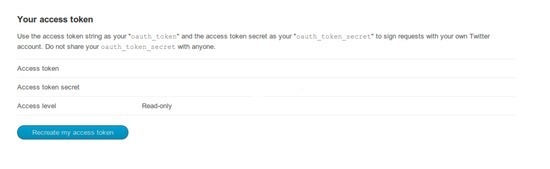
With Tweepy and the four oauth tokens it's really easy to connect to the twitter streaming api:
import sys
import tweepy

consumer_key=""
consumer_secret=""
access_key = ""
access_secret = ""


auth = tweepy.OAuthHandler(consumer_key, consumer_secret)
auth.set_access_token(access_key, access_secret)
api = tweepy.API(auth)

class CustomStreamListener(tweepy.StreamListener):
    def on_status(self, status):
        print status.text

    def on_error(self, status_code):
        print >> sys.stderr, 'Encountered error with status code:', status_code
        return True # Don't kill the stream

    def on_timeout(self):
        print >> sys.stderr, 'Timeout...'
        return True # Don't kill the stream

sapi = tweepy.streaming.Stream(auth, CustomStreamListener())
sapi.filter(track=['curiosity'])